Is It Worth Downloading?
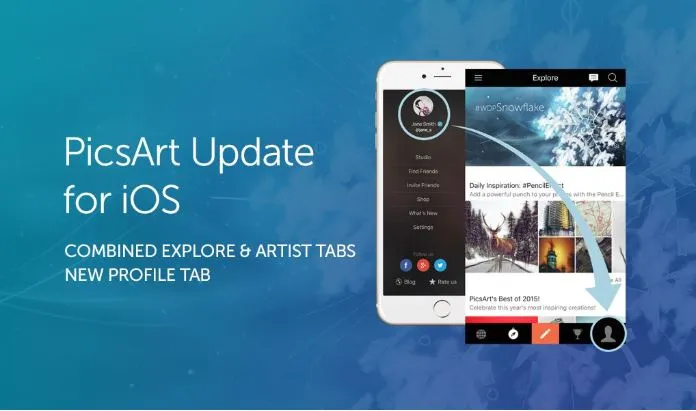
Okay so if you’ve got an iPhone and keep seeing Picsart pop up everywhere, you’re probably wondering if it’s actually good or just another editing app cluttering the App Store. I’ve used it enough to give you the real picture, not just a features list copied off their website.
First, installing it
Nothing fancy here. App Store, type “Picsart,” tap install. You’ll know it’s the right one because it’s got millions of downloads and a colorful icon. First time you open it, it makes you sign up — email works, or you can just tap through with Google or Apple ID if you don’t feel like typing a password on your phone keyboard, which let’s be honest, nobody wants to do.
What it's actually useful for
So here’s the thing about Picsart — it’s not really “one thing done well,” it’s more like five decent tools stuffed into one app. The background remover is honestly the reason most people keep it installed. It’s not perfect, sometimes it messes up hair or fuzzy edges, but for a quick Instagram post it does the job in like ten seconds without you having to trace anything by hand.Beyond that you’ve got collage making, which is fine, does what it says. There’s a video editor tucked in there too but I wouldn’t call it a replacement for anything real — it’s fine for a 30 second clip, not for anything serious. And then there’s the AI stuff, which has gotten better over the last year or so, generating images or enhancing old photos, that kind of thing.
The free vs paid thing
This is where people get annoyed, honestly. A lot of the app is free, don’t get me wrong. But the second you want the “good” version of something — no watermark, higher quality export, some of the newer AI filters — it starts pushing Picsart Gold at you. It’s not aggressive about it exactly, but it’s there constantly, that little popup reminding you.If you’re just messing around casually, you’ll probably never need to pay. If you’re doing this for actual content or a small business account, you’ll hit that wall eventually and have to decide if it’s worth it.
Stuff nobody tells you
If your iPhone is a few years old, it can chug a bit. Not unusable, just slower than you’d expect, especially the AI features which clearly need more processing than the basic filters do.Also — and this isn’t a Picsart-specific complaint, just worth knowing — it asks for a lot of permissions on setup. Photos, camera, sometimes location depending what feature you’re touching. Standard for this kind of app but still worth glancing at instead of blindly tapping allow on everything.
How does it stack up against other stuff
I get asked this a lot so quickly:VSCO is better if you care more about a specific aesthetic/filter look than actual editing tools. Snapseed is completely free (no paywall at all, which is refreshing) and honestly better for precise photo corrections, but it doesn’t do collages or video or any AI generation. Canva overlaps a bit but it’s really more of a design tool than a photo editor.Picsart wins if you want one app instead of three. It loses if you want any one of those things done at a really high level.
So should you get it
Yeah, probably, it’s free to try and you’re not locked into anything. If it turns out you only ever use the background remover, that alone might be worth keeping it installed for. If you need something more specialized you’ll figure that out pretty quick and can switch.That’s really it. Nothing complicated, just download it and poke around for ten minutes and you’ll know if it’s for you.